






Top.Mail.Ru
routing
40 hours
basic level v.1

Deploying
Eltex
ESR Routers

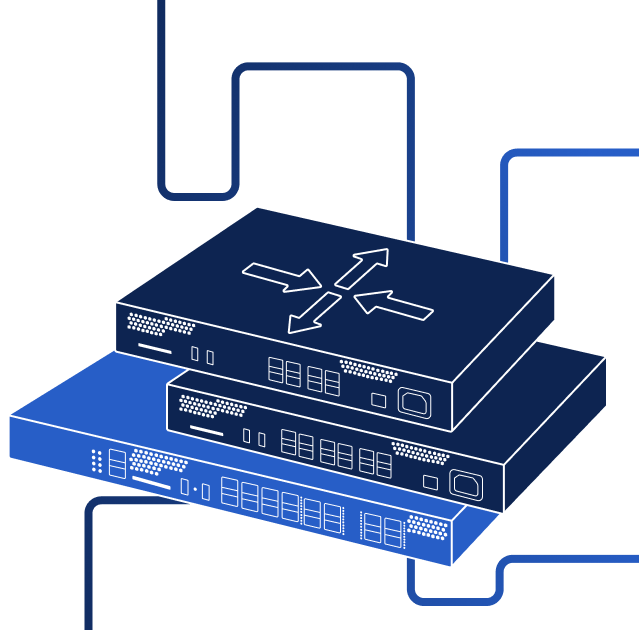
The course examines the functionality of the ESR series routers designed for use in networks of various scales, from enterprises to telecom operators and data centers

Who should enroll

Maintenance and technical support engineers

Technical and engineering service specialists

System administrators

Pre-requisites

How we train

comfort
Training process

The course duration – 5 business days
(40 hours). Groups of up to 24  people

practice
Hands-on training

All training modules feature lab practices. A dedicated Eltex hardware lab stand is provided to every group regardless of the training format (in-person or online)

convenience
Access to training materials

Training is based on a single platform, where all the training materials are accessible during your study

flexibility
Training formats

Our courses are availalbe online or in-person. The latter are delivered at our premises in Novosibirsk city, Russia

certification
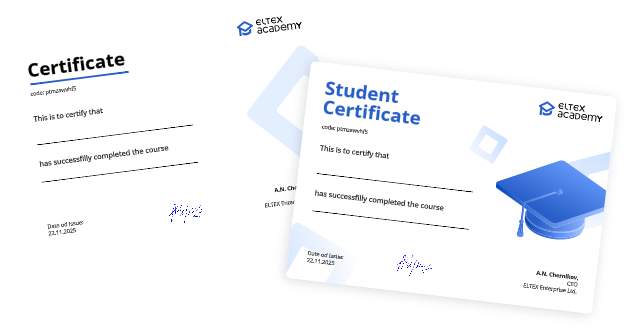
Certificate of completion

Upon completion of the course the participants receive certificates verifying their knowledge and skills

Course overview

5 days
9 lab practices
download

Download PDF

Product Line Overview

    • Router models
      • Specifications
      • Functional capabilities
    • Router hardware structure
      • Hardware design
      • Methods of access to the network device
      • Connecting the router
      • Router boot process
    • Command line
      • Mode hierarchy
      • Switching between modes
      • Command structure
      • Command line help
        • Contextual help
        • Syntax check
        • Hotkeys
      • Commit and confirm mechanism
    • Device identification
      • Device name and banner messages
      • Date and time configuration

Data Link Layer Functionality

    • Interface operation modes
      • SFP modules
    • Switching
      • Switching on a router
      • Subscriber router
      • Frame structure
      • Broadcast domain
    • Virtual Local Area Networks (VLANs)
      • General information
      • Access and Trunk
      • MAC-based VLAN
      • VLAN diagnostics
    • Link layer discovery protocol
    • LLDP-MED
    • Port Mirroring
    • Port isolation

Interfaces

    • Logical interfaces
      • Loopback
      • Sub
      • Q-in-Q
      • Bridge
      • Port-channel
    • Pluggable interfaces
      • USB modem
      • E1
    • Interface diagnostics

Network Layer Functionality

    • General information
      • IP packet structure
      • Addressing
      • Internet Control Message Protocol (ICMP)
      • Address Resolution Protocol (ARP)
    • Routing table
      • Host ARP cache and routing table
      • Router ARP cache and routing table
      • Routing table entries
      • Best route entry selection
      • Packet processing order on ESR
    • Packet routing
      • Switching and routing
      • Sending a packet within a local network
      • Sending a packet to another network

Static and Dynamic Routing

    • Static routes
      • Tasks of static and dynamic routing
      • Static route syntax
      • Types of static routes
    • Dynamic routes
      • Dynamic routing protocols
      • Components and characteristics
      • Classification
    • Distance-vector algorithm
    • Link-state algorithm
    • RIPv2
      • Message format
      • RIPv2 configuration
      • RIPv2 configuration example

IP Services

    • Domain Name System (DNS)
      • General information
      • DNS hierarchy
      • Operating principle
      • Types of resource records
      • DNS message format
      • Configuration commands
      • DNS configuration example
    • Dynamic Host Configuration Protocol (DHCP)
      • DHCP message types
      • Operating principle
      • DHCP message format
      • DHCP client
      • DHCP server
      • DHCP relay
      • DHCP configuration examples
    • Network Address Translation (NAT)
      • Operating principle
      • NAT types
      • Source NAT
      • Destination NAT
      • Static NAT
    • Network Time Protocol (NTP)
      • Operating principle
      • NTP hierarchy
      • Operating modes
      • NTP message format
      • Configuration commands
      • NTP configuration example

Router Security

    • Authentication, Authorization, and Accounting (AAA)
      • Users
      • Privilege levels
      • Password configuration
      • User activity accounting
      • Console access
    • Connecting to AAA servers
      • Connecting to a RADIUS server
      • Connecting to a TACACS server
    • ESR firewall
      • General information
        • Security zone-based firewall
        • Session state tracking firewall
        • Firewall configuration procedure
      • Security zones
      • Assigning interfaces to security zones
      • Creating object-group lists
        • Object-group network
        • Object-group service
        • Object-group MAC
        • Object-group application
        • Object-group URL
        • Object-group address-port
      • Interaction between security zones
      • Firewall rules
        • Parameter matching
        • Rule processing order
        • Rule editing
        • Rule logging
      • Diagnostics
      • Firewall configuration examples

System Logging and Backup

    • Syslog
      • Operating principle
      • Syslog message format
      • Configuration commands
      • Syslog configuration example
    • Backup
      • Manual backup
        • Text capture
        • Saving a backup copy
        • Configuration recovery
      • Automatic backup
    • Firmware upgrade
    • ECCM overview

Troubleshooting

    • Network scaling
      • General information
      • LAN and WAN topologies
      • Network scale
      • Hierarchical structure
    •  Troubleshooting procedure
      • Information collection
        • Network documentation
        • Network topology diagrams
        • Baseline network indicators
        • Data measurement
        • End-user survey
      • Fault isolation
        • Using the OSI model
        • Troubleshooting methods
        • Troubleshooting tools
      • Corrective actions
        • Physical layer
        • Data link layer
        • Network layer
        • Transport layer
        • Application layer
    • Troubleshooting IP network connectivity
      • Checking the physical layer
      • Checking addressing and gateway
      • Checking the correct path
      • Checking the transport layer
      • Checking DNS

The course instructor

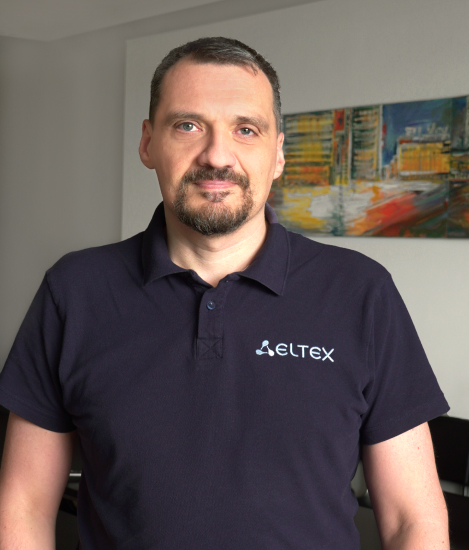
Stanislav Vladimirovich
Cherepanov

Become an Eltex instructor

If you have work experience in telecommnunications and good knowledge of our course topics and networks hardware, you are welcome to  join our team in Novosibirsk!

Fill out the application, and we will contact you with further details

Join the team

Fill out the form

Applicant information
  • Surname

  • First name

  • Second name (optional)

  • Phone

  • Email

  • Comment (optional)

CV
  • Link

  • Attach a file

By sending the question, I accept the Privacy Policy

close
Sent!

Our manager will contact you soon

close
Certification

Upon successful completion of a course, you will receive a branded certificate with a unique verifiable code.

Start now

Our manager will get in touch with you to go over further details

FAQ

Where can I find the course schedule?

For information regarding the course schedule, please reach out to Kirill Zorin, the support manager,
at kirill.zorin@eltex-co.ru

What locations are available for training?

Eltex Academy in-person courses are available at Eltex Enterprise in Novosibirsk, Russia.
For other locations, please check out the offers of our Authorized training centers

Are there any differences in online and in-person programs?

Course programs in online and in-person formats are the same. Certificates issued upon course completion have no differences either

Can I participate in training as an individual?

The courses are available now for corporate employees only

Another question

Visit our FAQ page for more frequently asked questions.

Group enrollment

If you want to enroll several employees, fill in the Group enrollment form

For convenience

You can attend classes at our partners training centers

More about partners

Enrollment: Deploying Eltex ESR Routers (basic level) v.1

Organization

Eltex Academy does not train individuals. The courses are available for corporate employees only

  • Name

  • Tax reference (optional)

  • Location (optional)

Preferred training format

If you want to attend training in person in other locations, please consider offers of our partners

Contact person

Please provide details for a person who will be responsible for organizing the training. If you need to register several employees, please fill out the group application template

  • Surname

  • First name

  • Second name (optional)

  • Phone

  • Email

By submitting the application, I accept the Privacy Policy

close
The request is sent!

Our manager will contact you soon

close

Enrollment

Organization

Eltex Academy does not train individuals. The courses are available for corporate employees only

  • Name

  • Tax reference (optional)

  • Location (optional)

Contact person

Please provide details for a person who will be responsible for organizing the training. If you need to register several employees, please fill out the group application template

  • Surname

  • First name

  • Second name (optional)

  • Phone

  • Email

Preferred training format

If you want to attend training in person in other locations, please consider offers of our partners

By submitting the application, I accept the Privacy Policy

The request is sent!

Our manager will contact you soon

View all courses Home page
close

We use cookies to provide the best site experience. By using the site, you consent to the use of these cookies. To learn more about how you can disable them, please proceed to your browser settings. Learn more

success
Sent!
Our manager will contact you soon
sertificate

Certificate verification

Certificate code

Certificate is verified

Holder:Сергей Иванович А.

Course name:Использование маршрутизаторов Eltex ESR

Type:Сертификат ESR

Certificate is not found

Try to enter the code adain

The service is temporatily
unavailable

We are already doing our best to resolve the issue.
Please try again later